

Termux themes help you customize the appearance of your terminal and make it look more modern, colorful, and professional. You can change the shell style, command prompt, banners, colors, and add hacker-style effects to create a completely different Termux experience on Android. Below, I have shared some of the best Termux theme installation and usage commands that you can use to easily customize your Termux environment.
Termux-os Theme Installation
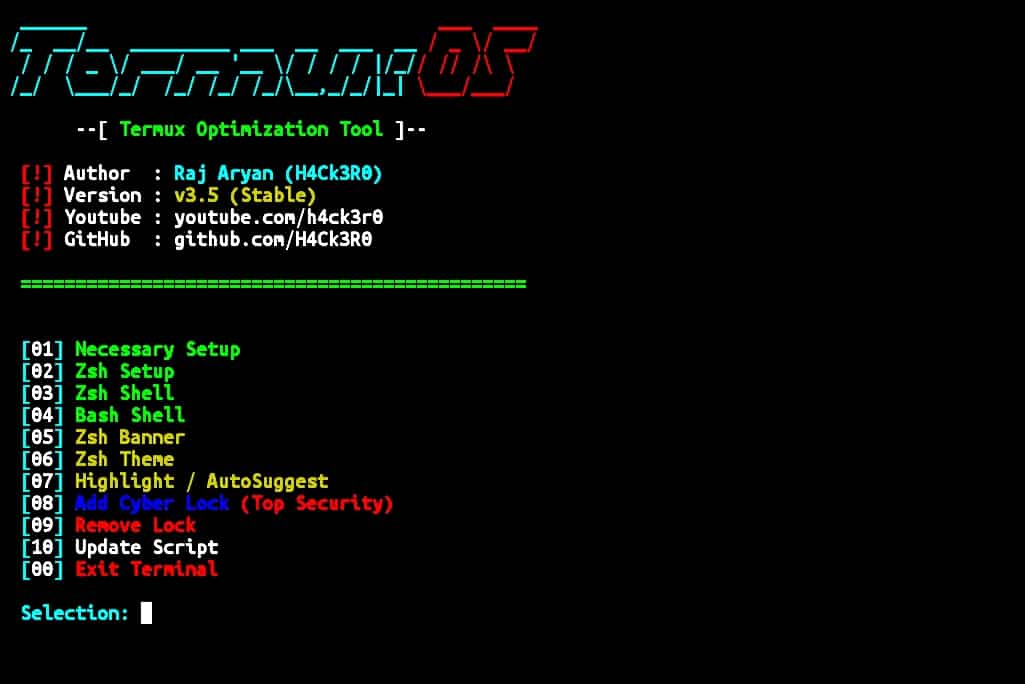
Termux-os is a popular Termux customization tool that gives your terminal a stylish hacker-style interface with colorful themes, custom banners, ZSH setup, autosuggestions, and security lock features. It is simple to install and allows you to completely change the overall design and feel of your Termux terminal.
Installation Commands
Update Termux:
pkg update && pkg upgrade -yInstall Git:
pkg install git -yClone repository:
git clone https://github.com/h4ck3r0/Termux-osGo to directory:
cd Termux-osGive permission:
chmod +x *Run installer:
bash os.shAfter running the installer, a menu will appear with different customization options for Termux. You can choose options like ZSH setup, hacker themes, custom banners, syntax highlighting, autosuggestions, and even add a cyber-style security lock to completely change the Termux interface and experience.
 [01] Necessary Setup
 [02] Zsh Setup
 [03] Zsh Shell
 [04] Bash Shell
 [05] Zsh Banner
 [06] Zsh Theme
 [07] Highlight / AutoSuggest
 [08] Add Cyber Lock (Top Security)
 [09] Remove Lock
 [10] Update Script
[00] Exit TerminalChoose the option you want and the script will automatically apply the selected customization to your Termux environment.
Termux-zsh Theme Installation
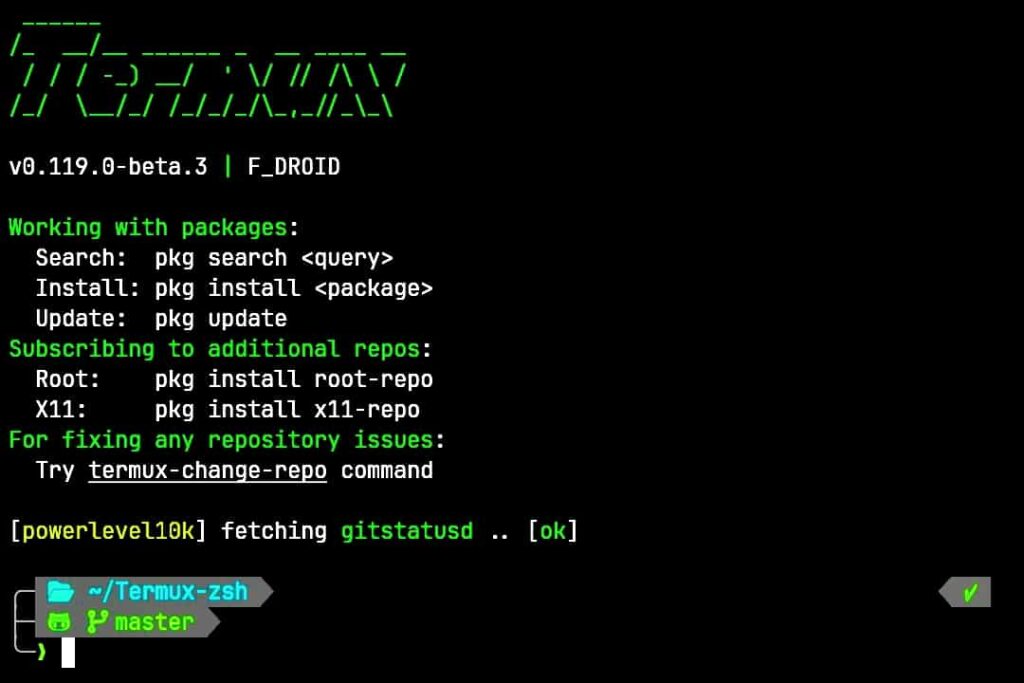
Termux-zsh is a simple customization setup for Termux that adds a modern ZSH shell with stylish themes, colorful prompts, and improved terminal design. It gives your Termux environment a cleaner and more professional look while making terminal usage more comfortable.
Installation Commands
Update packages:
pkg update && pkg upgrade -yInstall required packages:
pkg install git zsh wget curl -yClone repository:
git clone https://github.com/Sohil876/Termux-zshGo to folder:
cd Termux-zshRun installer:
bash setup.shThe installer will ask for confirmation before installing the theme.
Install Termux-zsh?
  [1] Yes
  [2] No

>

Enter: 1The script will automatically install and configure the ZSH theme for your Termux environment. After installation, restart Termux to load the new shell and theme setup.
If you want to remove the Termux-zsh theme and restore the default Termux interface, you can use the revert command given below.
rm -rf ~/.zshrc ~/.oh-my-zsh ~/.termux/shell ~/Termux-zsh && rm -f ~/.bash_profile ~/.profile ~/.zprofile ~/.zlogin && chsh -s bash && pkg remove zsh -y && termux-reload-settingsCustom Hacker Theme for Termux
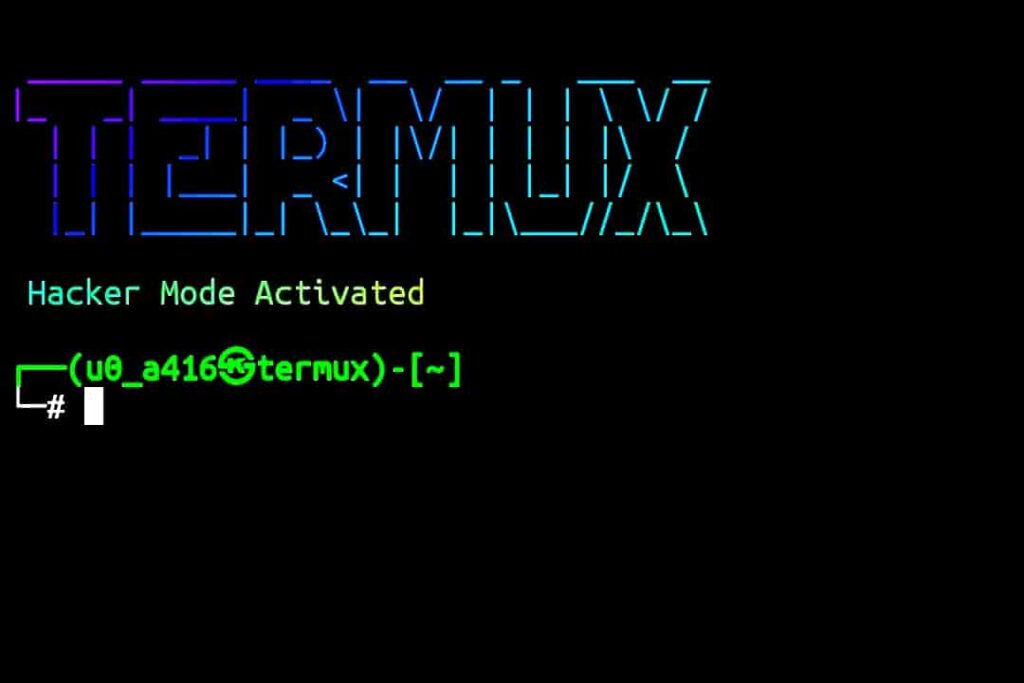
Custom hacker themes allow you to fully personalize the Termux terminal with your own colors, banners, command prompts, and shell design. You can create a unique hacker-style interface by editing the Termux configuration files and adding custom terminal effects directly from your Android device.
Create Custom Termux theme Commands
Install required packages:
pkg install figlet toilet nano ruby -yInstall lolcat:
gem install lolcatCreate bashrc file:
nano ~/.bashrcPaste this custom code:
clear

echo ""
figlet "TERMUX" | lolcat
echo " Hacker Mode Activated " | lolcat
echo ""

PS1='\[\e[1;32m\]┌──(\u㉿termux)-[\w]
└─# \[\e[0m\]'

alias cls='clear'
alias update='pkg update && pkg upgrade -y'
alias install='pkg install'
alias ll='ls -la'Save and exit Nano:
Press
CTRL + X
Y
ENTER
Reload bashrc:
source ~/.bashrcNow restart your Termux and you will get your custom Termux theme.
After applying the custom hacker theme, your Termux terminal will have a completely new look with stylish prompts, colorful banners, and improved command shortcuts. You can further edit the configuration and customize the design however you want to create your own unique Termux setup.
If you want to remove the custom theme:
rm ~/.bashrcEnd Note
Now your Termux terminal can look more stylish, modern, and fully customized with different themes, shells, banners, and hacker-style effects. You can try different Termux theme setups and continue customizing the interface to create a terminal environment that matches your own style and workflow.