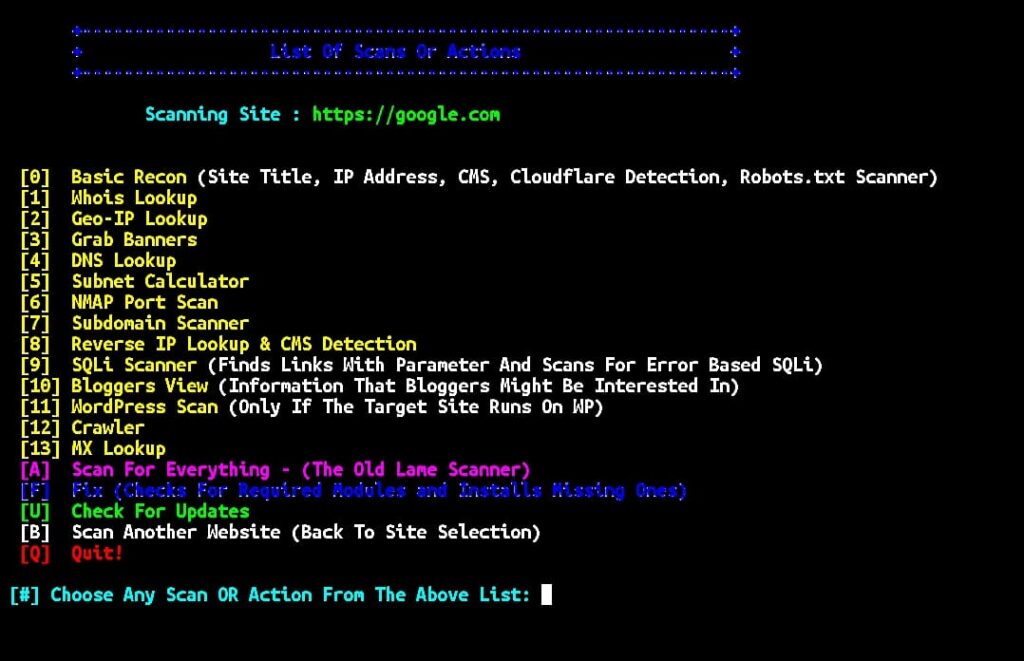
RED HAWK is a beginner-friendly tool that helps you scan a website and gather useful details like IP address, server information, and possible security issues. It runs in the terminal and gives you options to choose different types of scans easily. You just need to enter the target website and follow the menu to see the results.
Installation Commands
Update Termux and install required packages:
pkg update && pkg upgrade && pkg install git php -yClone the GitHub repository:
git clone https://github.com/Tuhinshubhra/RED_HAWK.gitMove into the directory:
cd RED_HAWKRun the tool:
php rhawk.phpCreate a global command:
ln -s $PWD/rhawk.php $PREFIX/bin/redhawkNow you can run from anywhere:
redhawkUsage Commands
Start the tool:
redhawkEnter target website when asked:
Enter Website: example.comSelect options from menu to perform scanning.